For the final project, Bryan and I decided to focus on the music of this generation and how it’s evolved over time. Music is a key part of both of our lives. Being able to find the right song for different situations helps bring relaxation to the both of us. I really feel music is a universal language. Not only does music allow you to connect with the artist but with different people who also have the same taste in music. When I listen to music I enjoy hearing the different instruments used to make the beat from the drums to the piano. I also pay close attention to the lyrics of the artist. From listening to music I’m able to learn about different cultures and backgrounds. In particularly we decided to center our attention on the mecca of Trap music, Atlanta which Bryan and I enjoy very much. The music industry in Atlanta has always been consistently setting new music trends and producing new artist. Many upcoming artists over the years have migrated to the area because the amount of success artist is having. Over the semester it was challenging trying to come up with a solid research question. However, we decided to look at the Trap era as well as the Dirty South era of Atlanta. Both era’s respectively played an important role in the music business. We felt as time has passed the music industry has as well. As we started conducting research we saw a shift from the early 2000’s (Dirty South era) where artist mainly spoke on the absurd amount of women they had, both in a positive and negative light. However, with the emergence of an artist like Gucci Mane, T.I., Soulja Boy, and many others in Atlanta we start to see more references to drug dealing, ”the trap”, and the life struggles to reach fame. We started to realize the influence the Dirty South era had on upcoming artist today and even though they might not be rapping about the same things both decades still promoted their high priced lifestyles to their fans.
For our project, we decided to use Jigsaw, Palladio, and Voyant all visualization programs that we have used throughout the semester. For our corpus, we collected nearly 60 songs from both eras and put them into a spreadsheet. The songs collected for our visualizations at some point all reached US Billboard Top 100. By hand picking the hot tracks of each era we felt we’d get a fair/accurate representation of the different cultures in Atlanta. Our spreadsheets were then divided into columns (ex. Release date of each song, artist, producer of the song, background information on artist and song). With all the data collected in the spreadsheets, it was much easier transferring the data from one program to another. Each visualization tool used for this final project revealed its own set of problems however ultimately we worked these problems out to answer our research question.
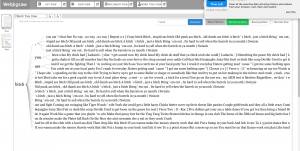
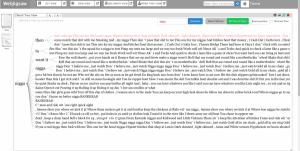
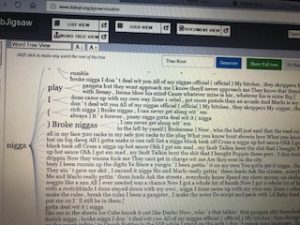
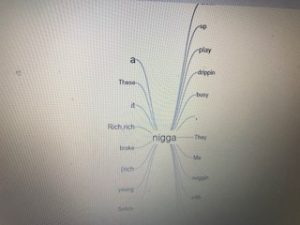
With the text gathered we first wanted to use jigsaw to show the similarities and differences between the eras. We immediately ran into problems because the files weren’t trying to upload and kept giving us an error message. The backup plan was to use Webjigsaw however we realized we wouldn’t be able to use the many interactive tools that come with the site. Eventually, we were able to plug in our data and use the interface. We were able to use word tree which connected phrases to the words we searched using the tool. By seeing this it allowed us to see what words were being used more frequently throughout our corpus. N**** and B**** were the most commonly used in both eras. From using word tree we were able to see how in the Dirty South Era artist rapped mostly about women and how they come with the superstardom. We saw how that shifted later on in the Trap Music era as the focus changed now from glorifying women to rapping about their wealth.
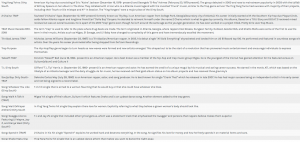
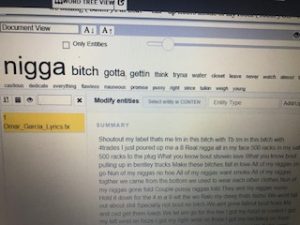
Like jigsaw, we had problems using Palladio at first. When we kept trying to upload the data onto the site we kept getting an error message that something was wrong in our data. We then had to manually go through each line of text from our spreadsheet to make sure the problem was resolved which was very time-consuming. I believe by having problems and being able to work them out that was the greatest lesson we learned from this project. We gained knowledge not only from our research but first-hand experience using tools that could eventually help us later on in life. From using palladio we were able to look at each artist/group individually and able to give background information on each artist (birthdate, birthplace, and #1 debut hit singles).
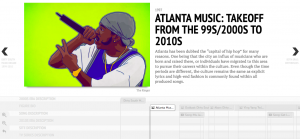
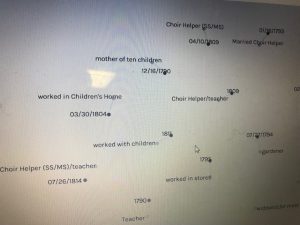
With using Timeline.jgs I wasn’t comfortable using the program compared to my more efficient partner. As time past and I used the program more I soon realized how powerful of a tool it was. Being able to interact with the data as there are many tools to choose from showed me the importance of Timeline.jgs. In addition compared to the other programs and their layouts, none are able to put data in a timeline format which we also found very helpful comparing and contrasting the two eras. It was cool to see the end result of our hard work and how clear and formatted our data was. In the beginning, I remember looking at other projects for examples and I was worried at first our project wouldn’t come close I was surely wrong.
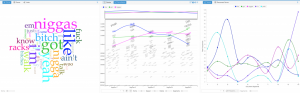
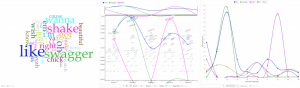
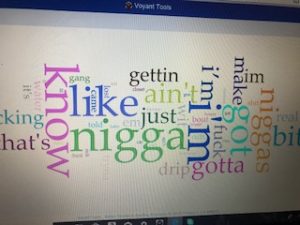
The last tool used was voyant which is a user-friendly and appealing visualization tool. Given my background with voyant it was the easiest tool to navigate and collect data for. Voyant provides many ways to interact with the data and can be viewed using different tools. This visualization compared to others resembles a dynamic visualization because it allows users to build their own conclusions from the data being presented. Using Voyant I was able to break down the data and get a better sense of what each era was rapping about in their songs.
In conclusion, I believe our final project was a success from a digital viewpoint. Not only were we able to answer our research question our visualizations are user-friendly and very informational. We both struggled at times however we picked each other and are very appreciative of being able to learn how to use these visualizations tools throughout this semester.