For this assignment, I chose the Harry Potter series because I wanted to get a different view at the novels I like so much and hoped to find something interesting. So, I googled the .txt version of the books and saved each of them as a separate .txt file.
First, I loaded the books in Voyant. After trying many tools provided by the application, I found the Cirrus, Bubblelines, and Correlations tools to be the most fascinating.
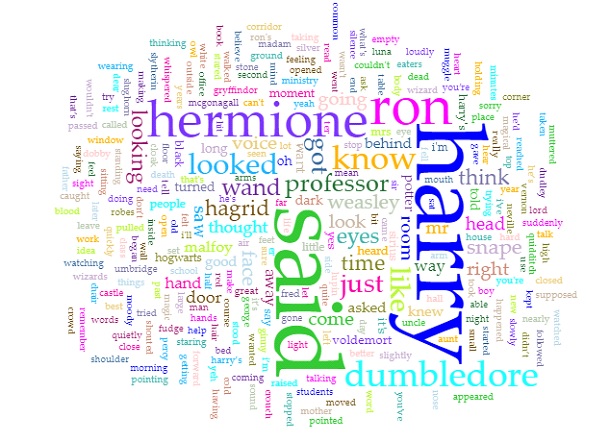
Obviously, as the titles of the books suggested, since the series is about Harry Potter, the most prominent word in the Cirrus visualization is “Harry.” Predictably, the second, third, and fourth used words are “Ron”, “Hermione”, and “Dumbledore” respectively, all of whom are Harry’s best friends. In addition, since the story is told from a third person perspective, the word “said” is also repeated many times. Even though I am quite against using word clouds as statistical analysis tools because of the lie factor, word clouds such as this one can provide viewers with an overview of the main theme of a text.
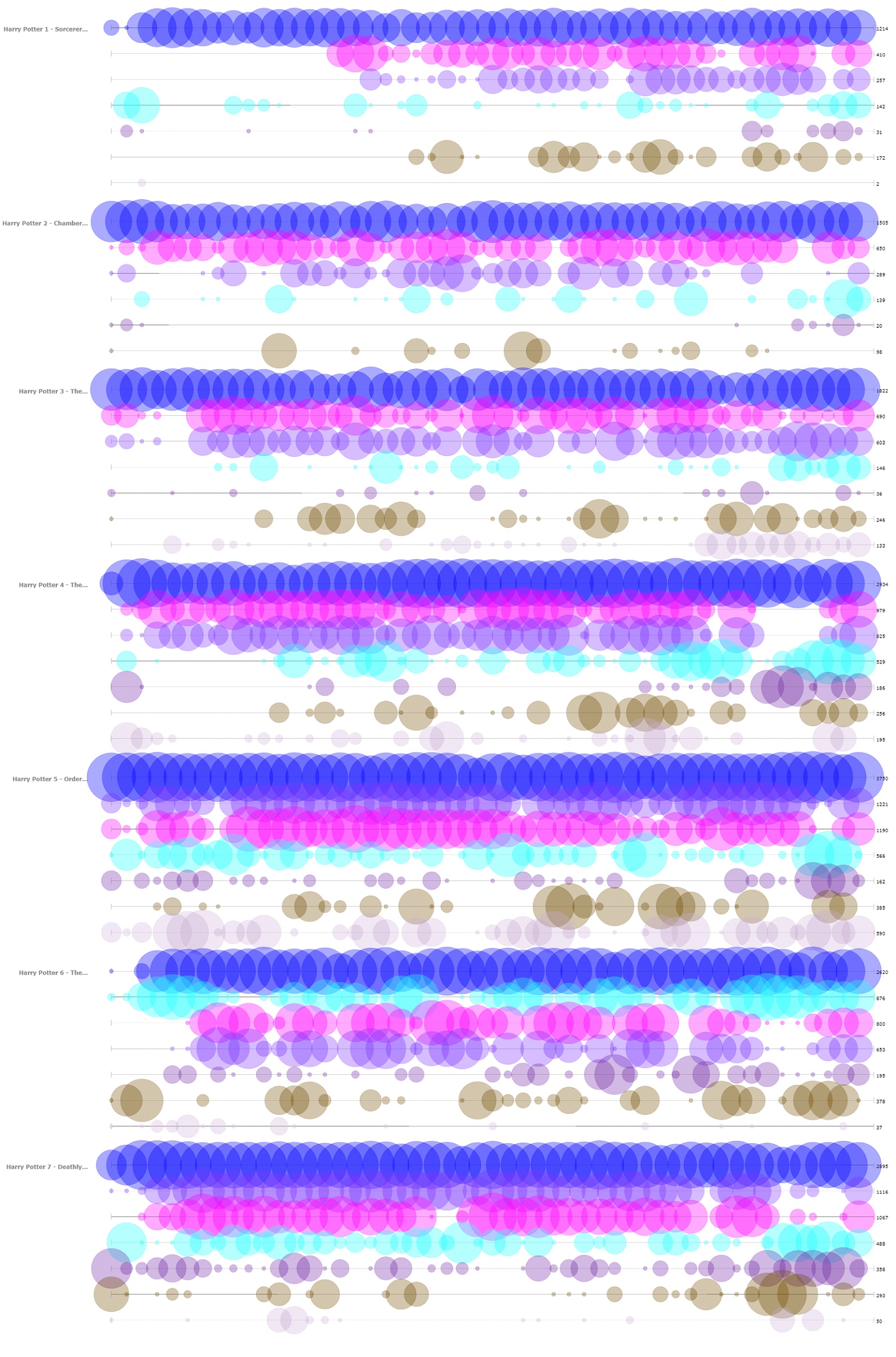
The next tool that I found insightful from Voyant is the Bubblelines tool. I used the name of the characters that appeared in the word cloud and a few more that I thought were important as keywords. The result, more or less, summarizes the plot of the series, as one can infer from the visualization the change in importance, disappearance, etc. of the characters.
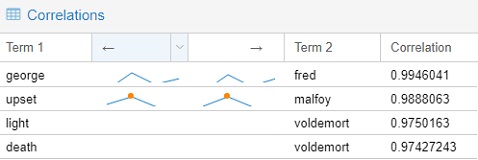
The final tools that I chose to include from Voyant is the Correlations tool. Although I think the tool might not be as visually impressive as the Bubblelines tool, it was quite entertaining to use. For example, I found that “Malfoy” was highly correlated with “upset”, “Voldemort” with “death”, “Fred” with “George.” Even though correlation is not equivalent to causation, I think this tool still can be very useful for finding trends if the users know what they are looking for.
Importing the .txt files into Jigsaw was more troublesome than importing those into Voyant since the way the books were formatted was not recommended by the author of Jigsaw. I took quite a while to import one out of the seven books at first, so I had to modify the commands to give the program more memory to run with. I imported the books in using the Illinois-NER entity identification, but the result was a quite messy. Thus, I ended up creating my own lists of characters and some spells for exploring purpose. The tools that I found the most helpful were Document view and the Word Tree.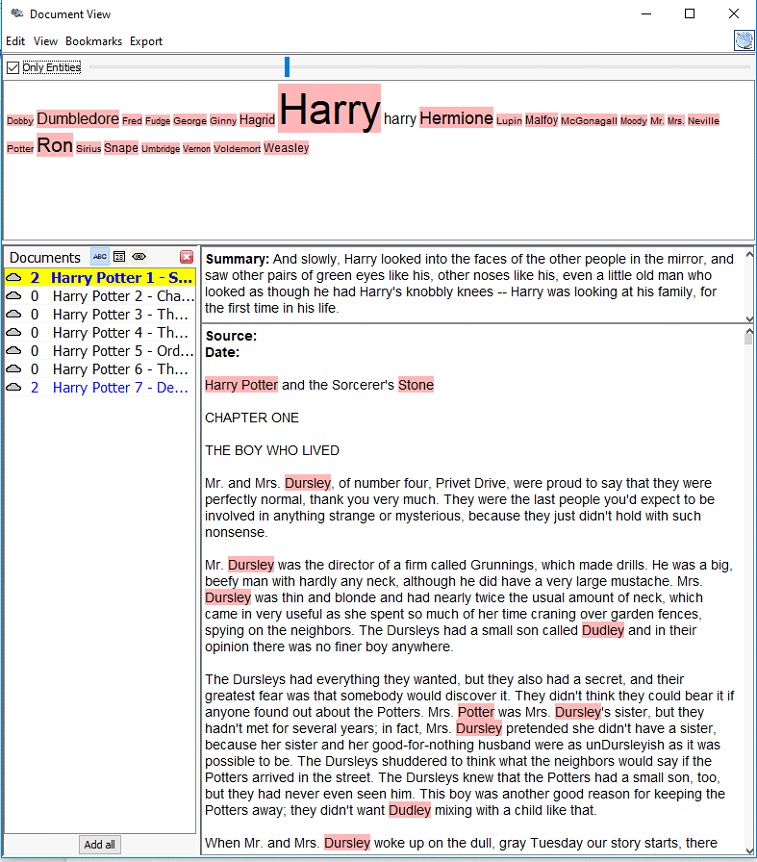
The Document view, similar to the Cirrus tool in Voyant, provides users with the most frequently used words in a document. However, instead of creating a word cloud, the Document view presents the words in a line with varying font sizes to reflect the frequency and in context. It also attempts to give a summary of the text by picking out a sentence from the text itself, which is quite fascinating in my opinion.
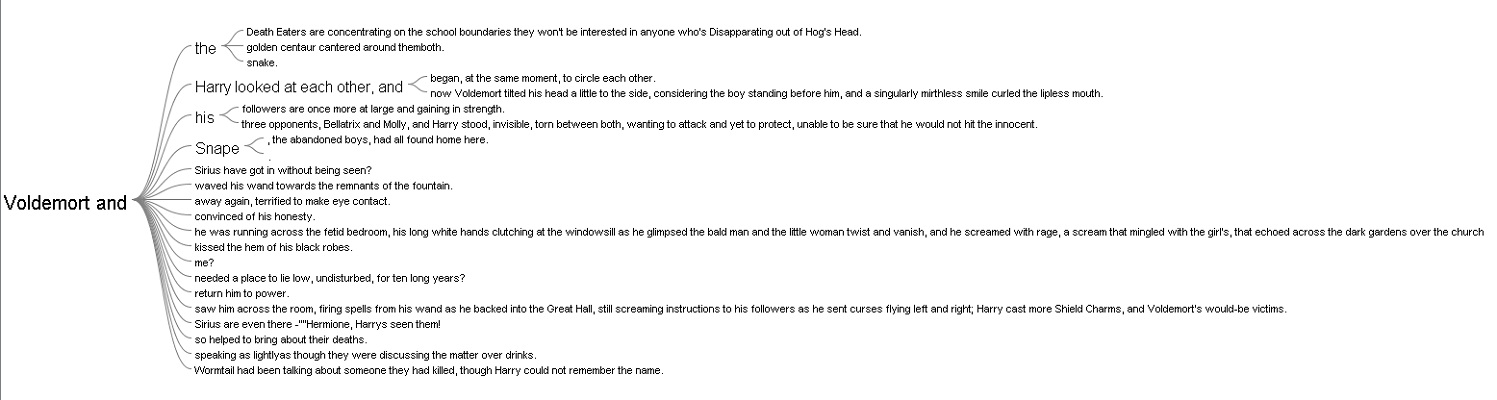
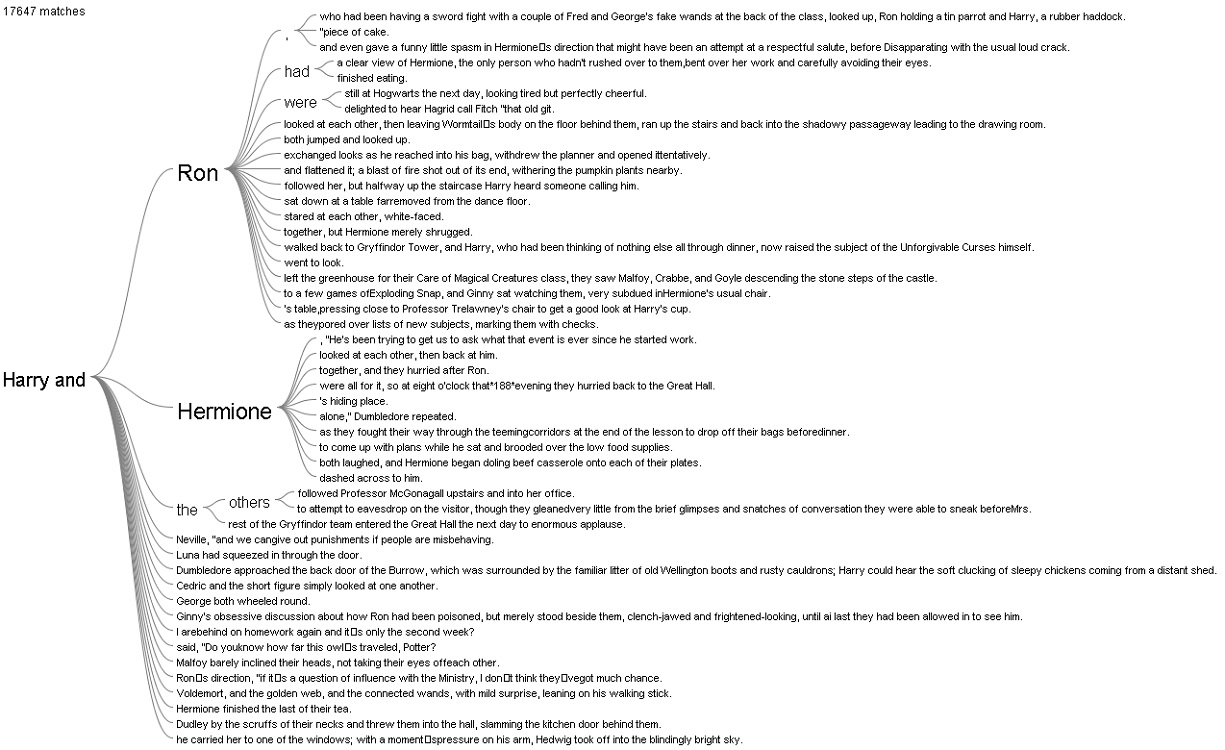
The Word Tree provided me with an interesting interpretation. I looked up the words “Harry” and “Voldemort” and clicked on the “and” branch for both of them. For “Harry and”, the most frequently paired terms are “Ron” and “Hermione,” while for “Voldemort and,” there was not a particular name standing out, which reflects that Harry always had his best friends to support him and Voldemort was always alone.
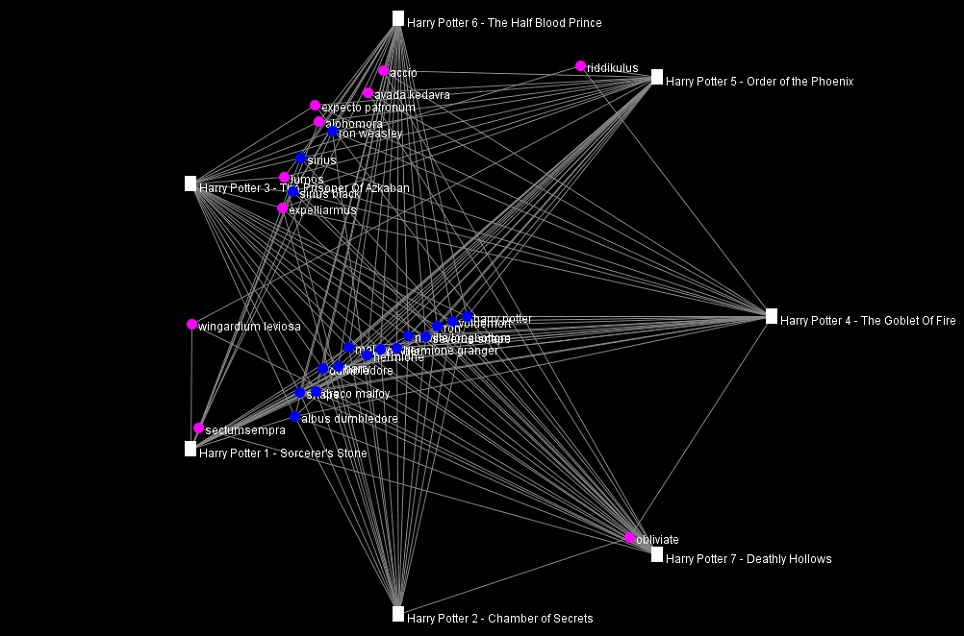
I also tried out the other views in Jigsaw, but they did not provide anything helpful with the entities I defined.
Overall, I prefer Voyant to Jigsaw because of its performance and usability. The tools in Voyant are very powerful and easy to use since they have tooltips explaining what each tool does. In additional, the visualizations that these tools produced are visually pleasing and smoothly interactive. In addition, I think the Summary and the Context tools in Voyant do better job at summarizing the text compared to the Document view in Jigsaw. However, I do like the idea of importing text with defined entities in Jigsaw since the program is all about visualizing relations. Voyant can also do similar things with links, but it requires the users to know what they want to look for beforehand.
The process of making my own visualizations in Voyant and Jigsaw has verified Tanya Clement’s observation. Modern day computers are not at a complex state where they can comprehend and interpret humanities works. However, what they can do is to provide the computational power to present humanist data efficiently and uniquely compared to humans iteratively reading through printed media. These representations of data by computers, on other hand, do not necessarily provide a fixed view on the data itself, but rather observations that are both objective and subjective.
