Assignment 6 – Final Reflection
Final Artifact: https://caitlinmahoney23.wixsite.com/comabroad
Studying abroad can be a daunting task. It’s a task that many individuals set themselves up to take on in the first year here at Bucknell, but it is one that gets wiped off the agenda of many due to the work and strain that goes into it. Students in the Freeman College of Management have an especially difficult time finding places to study by needing to find courses that will transfer back as major requirements and CCC requirements. So where do students begin? They know that they want to go abroad, but they don’t know what’s been done in the past, what programs are out there, what’s popular, or even what suits their own major.
The main purpose of my visualizations is to give students a place to begin. The main questions that I analyzed through my data set and visualizations include:
- Where are our students studying abroad?
- What are the trends of our students?
- Who went where?
These are the questions that many have difficulty explaining because most of this data is hidden and unknown to the public. My main work and explorations went into creating a user-friendly and interactive website that can be used by all to explore the data from the Office of Global & Off-Campus Education at Bucknell in a meaningful way.
The goal was to utilize multiple types of visualizations to communicate different aspects of the data. As Drucker states, “Communicating the contents of a digital project is a knowledge design problem – since the multifaceted aspect of database structures offers different views into the materials.” (Drucker, 243) In order to offer these various views, I used Palladio, Voyant, and Google Fusion Tables.
Platforms and Tools
The webpage was created in Wix, since it is a platform that I am used to creating webpages on, and it is a very interactive and creative space, where many other tools and platforms can be embedded to tell about the study abroad narrative.
Palladio was the first tool that I decided to use based on its ability to create maps, node graphs, and timelines in a simple, yet meaningful manner.
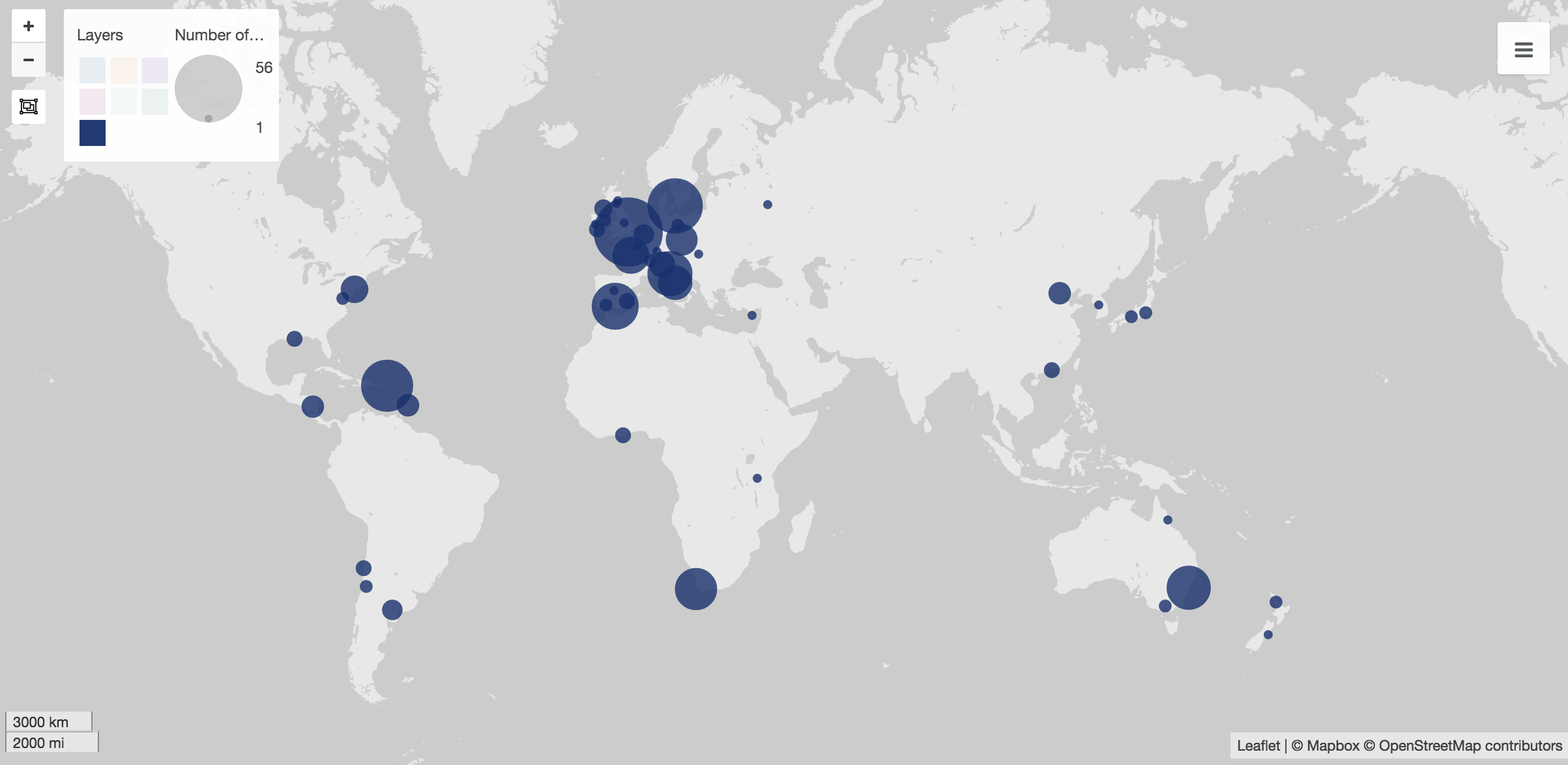
At first, I used Palladio to create maps to show the popular spots to study abroad. These visuals are my favorite visual throughout based on their simplicity. In Wix, I created a gallery of them, which shows various sets of data, including students in the college as a whole, as well as each individual major.
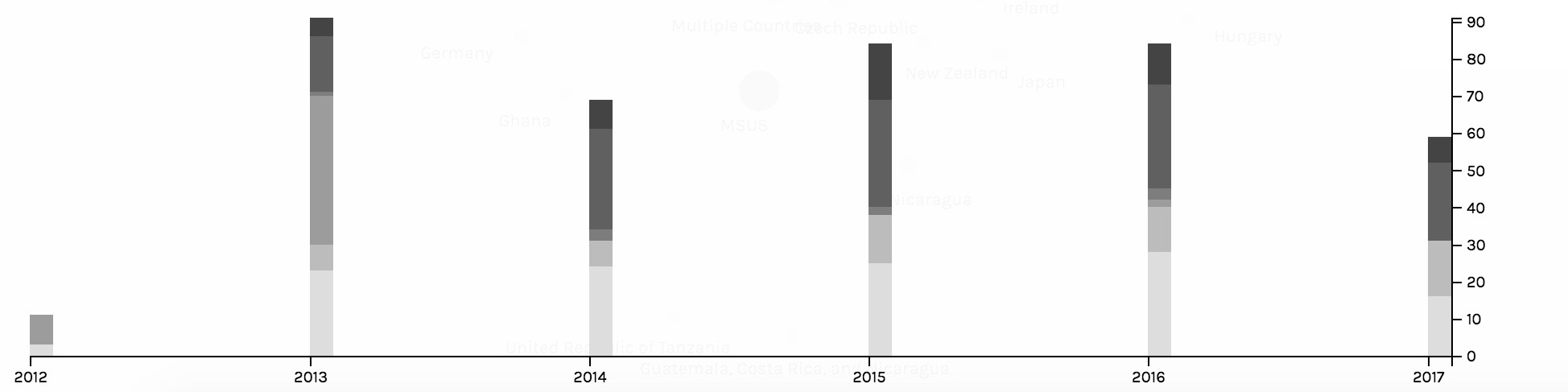
The second main job done by Palladio was to create timelines. The two main timelines created were to show trends in what majors went abroad and to show trends in the locations of where students chose to study. The timelines captured trends of the students and the Wix view allowed for users to click through the various screenshots of them.
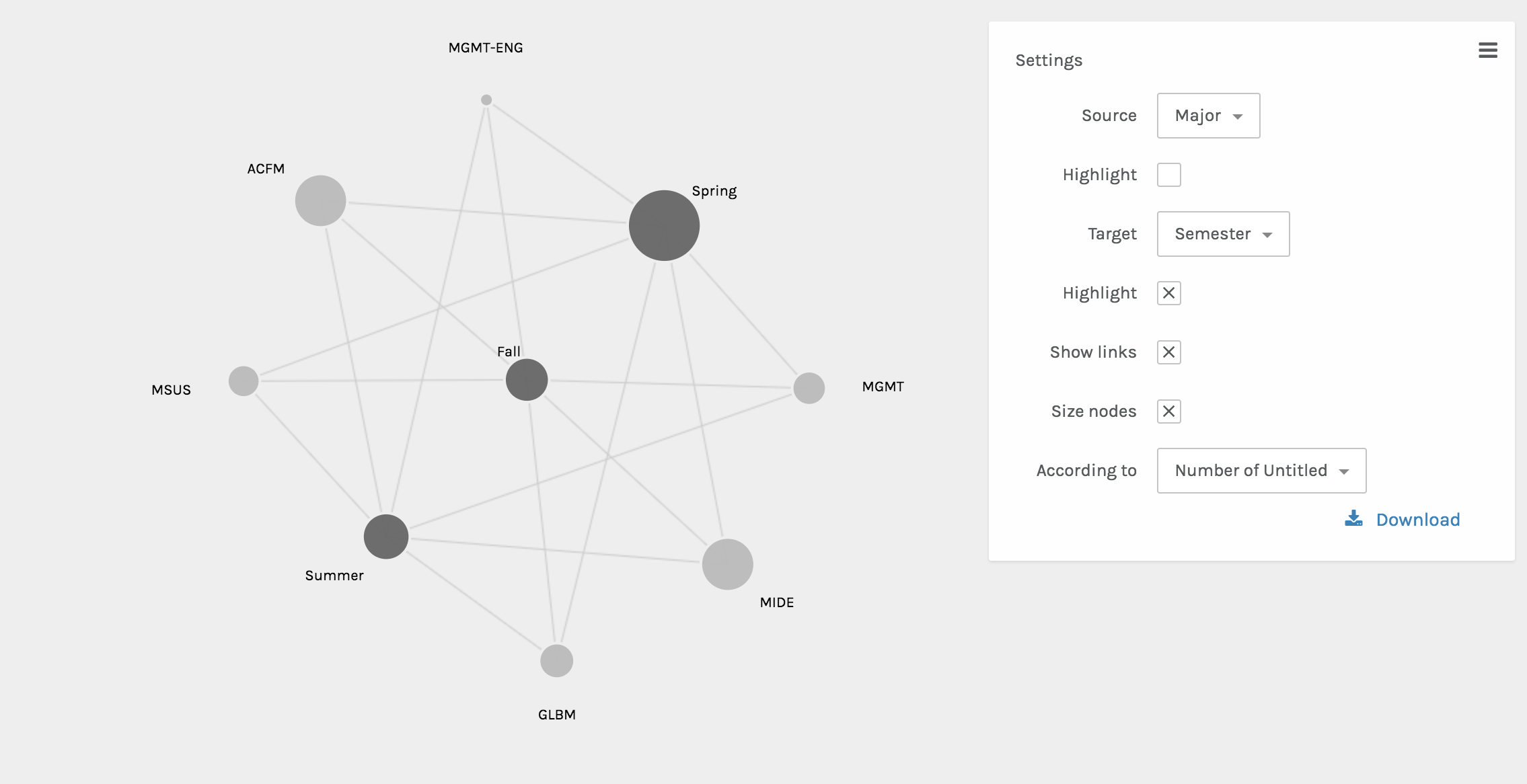
The final visual done by Palladio included the node graphs. These two graphs showed the interactions between various nodes. One shows the relationship between the semester abroad and major and the other shows the relationship between the location abroad and the major. The size of the node shows the frequency of the node.
Once integrated into the Wix website, the beautifully interactive Palladio visuals became static. However, as Sinclair nicely states, each one “aims to produce a single perspective on available information.” (Sinclair) Ultimately, each visual from Palladio assists in telling the full abroad story.
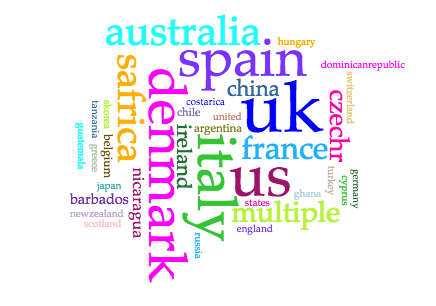
The next platform used was Voyant. I chose Voyant in order to show the popularity of locations in a different way, since some audiences may be more in tune with written out locations, as opposed to locations on a map. Voyant was used to give users a more comprehensible visual of what students were where through using the Cirrus world cloud tool. Three word clouds were created – one for continents, one for countries, and one for cities. This allows for users to play with the words that they may recognize better than a map form.
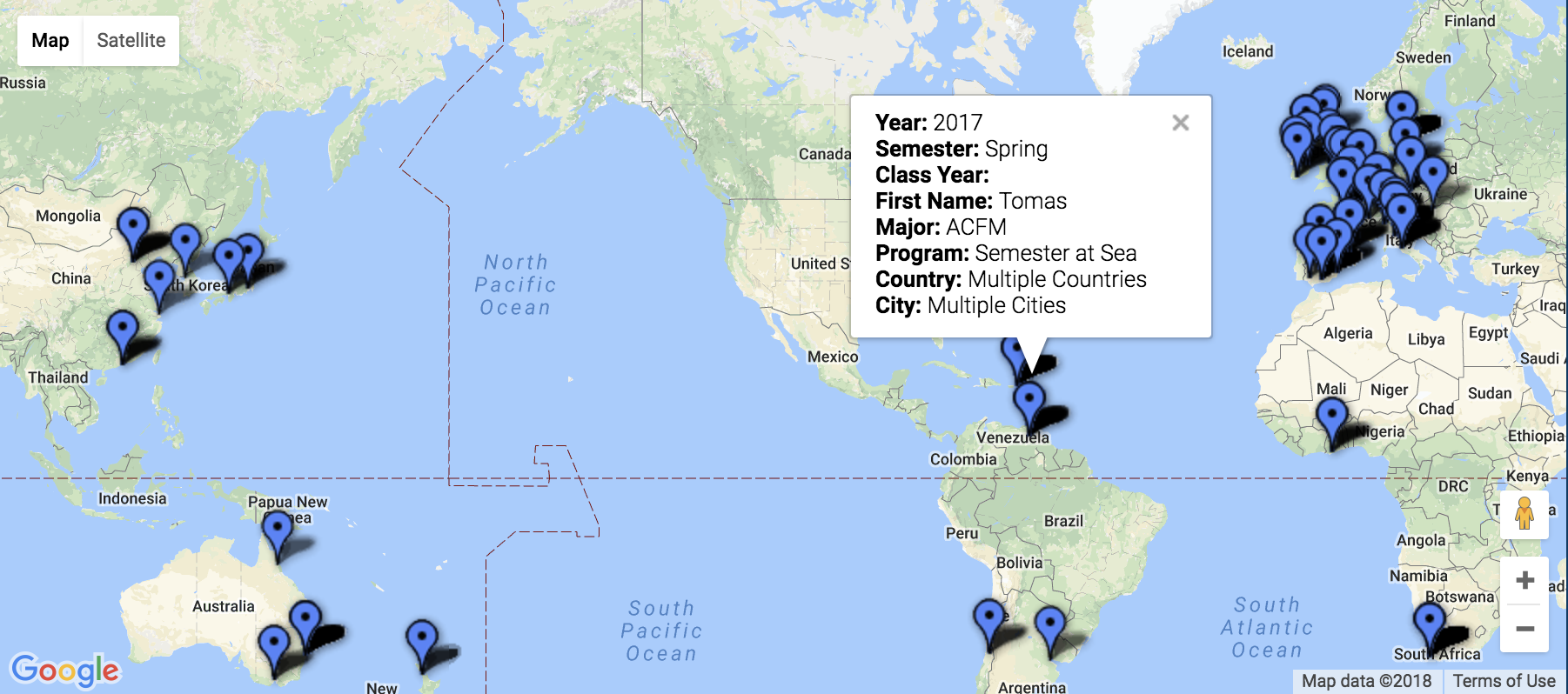
The final platform used was Google Fusion. The maps function was the perfect tool for sharing the precise location and information including name, major, class year, semester abroad, program, city, and country. This interactive map has a full-college view, and is also available based on major. Through interactions with this map, the user is able to find areas of interest to them, see previous students who studied there, and even drop a pin to see a street view of these locations to see if they’d be comfortable in the area.
Platform and Tool Critique
My main critiques surrounding Palladio is that the platform doesn’t have an easy way to export the media and integrate it into another software. As a platform that’s in itself exploratory, once integrated into the Wix site, the Palladio visuals became static. The visualizations are no longer dynamic, which Sinclair describes, “aim to explore available information, often as part of a process that is both sequential and iterative.” (Sinclair) Rather, they are just constructs of data as capta, which have an inherent bias as Drucker explains, “Capta is constructed and not given…the initial decisions about what will be counted and how shape every subsequent feature of the visualization process.” (Druker, 244) Since the data and visuals are chosen by myself as the author, the visuals tell the story that I’m narrating, and they’re not able to be manipulated by users.
These are the critiques that ultimately led me to the inclusion of Voyant and Google Fusion visuals. Voyant embedded extremely well into the Wix webpage, however, since it’s a text-based software, for countries and cities with multiple words, it wasn’t the best tool. Google Fusion maps, on the other hand, was the tool that I had been searching for since it allowed for multiple levels of information to be shared on the map. The main critique that I have of the maps is that while they are interactive and explorative, which are keys to great visualizations, if there are multiple “pins” in the same location, then only one is seen.
Conclusion
Overall, throughout the process, the main motivation was to create a user-friendly database to explore the study abroad options for a management student interested in going abroad. Based on location, semester, or major, hopefully this database created a field of vantage points that the user could interact with. As Sinclair states in his article, “humanities scholarship is often exploratory, we have also come to believe that interactive formats are in most cases preferable to static ones, since they allow the person using the system to add and subtract elements, experiment with different forms, pursue hunches or insights, and so on.” (Sinclair) With this database, students would be able to see what’s been done before them, and explore the possibilities of creating their own adventure for their study abroad experience.